
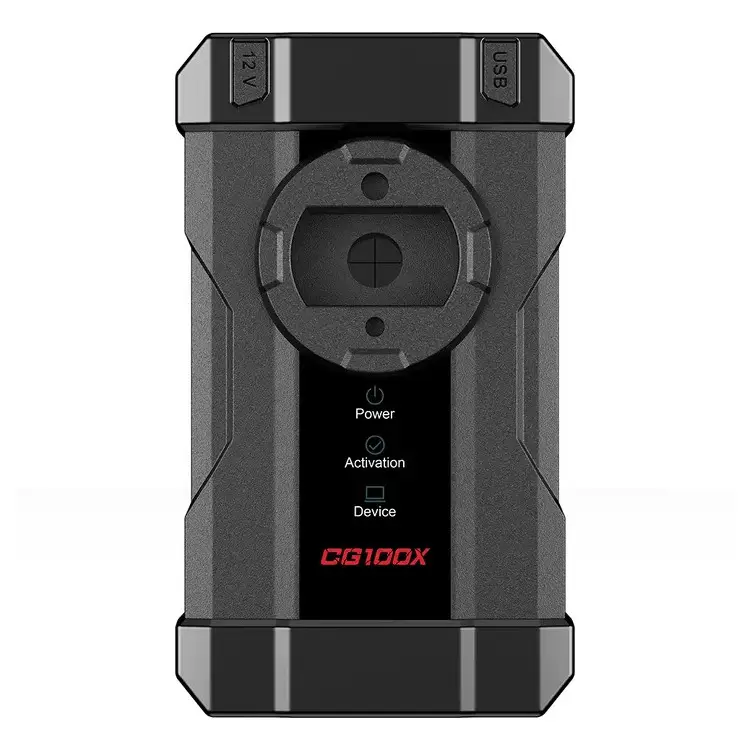
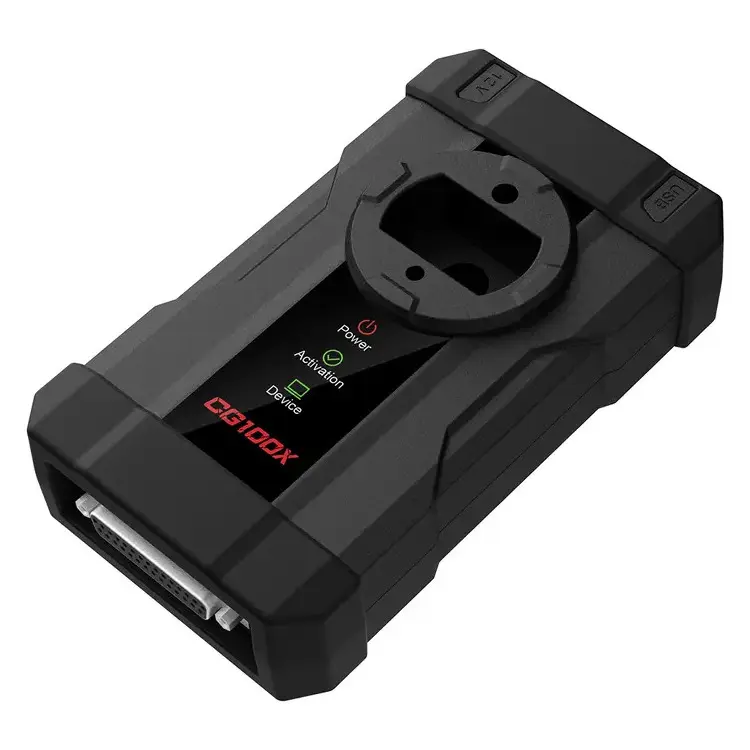
CGDI CG100X New Generation Programmer for Airbag
€510.00
- NP3730
- Programming Tools
CGDI CG100X New Generation Programmer for Airbag
CG100X programmer covers 90% of the car models and modules in the market, including American, German, French, European, Korean, Japanese, Italian, Chinese domestic series, as well as engineering vehicles and motorcycles. It is powerful and is the first choice for your store.
Product Functions:
- Support 4600 car models dashboard mileage repair
- Support more than 4, 500 airbag models repair
- Support body control module repair
- Support accessory clone replacement
- Support various chip data reading and writing
- Support BMW CAS series and Land Rover models key functions
- Free Update for 1 Year, after one year, it will cost $120 per year. Device can still perform if you don't want to pay for the update cost after the first year
Language: English/ Chinese
CG100X Features:
- Top ten accessories with functional classification
- Fast reading and writing speeds with real-time status monitoring
- Eight-pin operation without dismantling, with pin detection
- Intelligent algorithm with real-time upgrades
- Hardware upgrades with data loss prevention
- Easy access with automatic search
- Software can be opened without plugging in the device, allowing convenient viewing of vehicle models and functions
- Automatic matching of special characters (spaces, bars) in car model searches, case-insensitive
- General programmer search mask displays the chip directly
- List interface allows easy entry and navigation with a single click or pressing Enter
- Supports picture scaling and displays file open/save paths
CG100X Functions List:
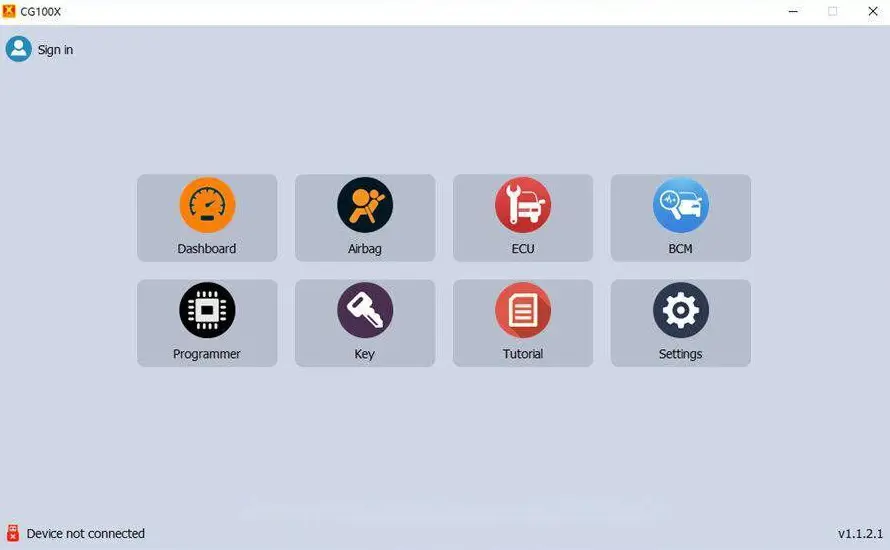
1. Dashboard Mileage Repair
The software is embedded with intelligent algorithms, automatic analysis of mileage data, support for more than 4600 models, success rate of more than 95%, and keeps up with the market, with real-time upgrades in progress.
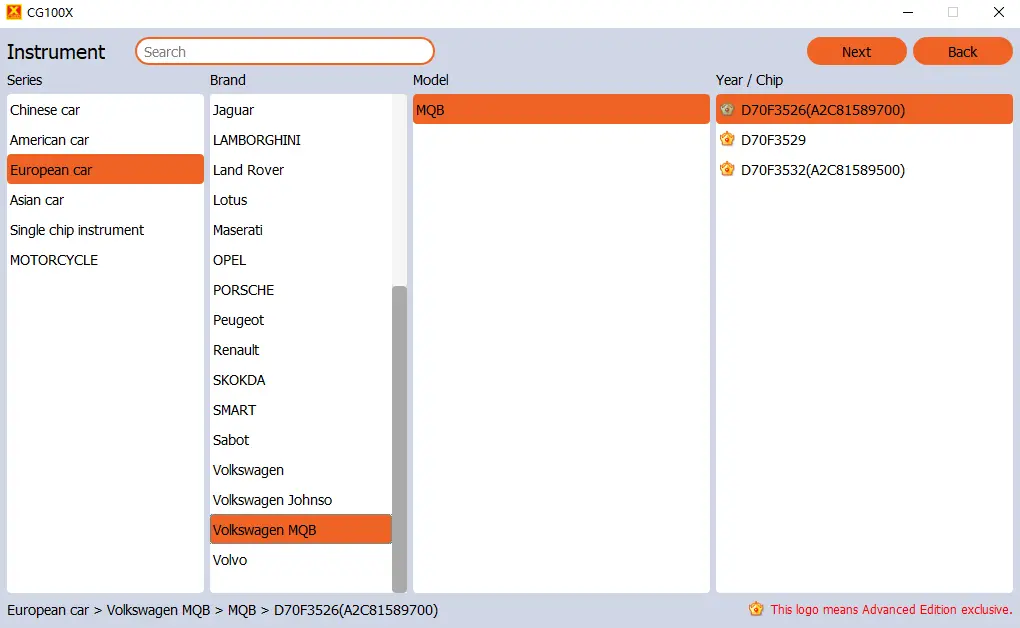
Moreover, it also supports VW MQB mileage repair, including D70F3526 (A2C81589700) (read write), D70F3529 (read write), D70F3532 (A2C81589500) (read write).
Car models cover Golf, Magotan, Lavida, T-ROC, Tayron, Bora, Sagitar, Lamando, CC, Variant, Teramont, Skoda, Octavia, Kodiak, and other models.
Operation:
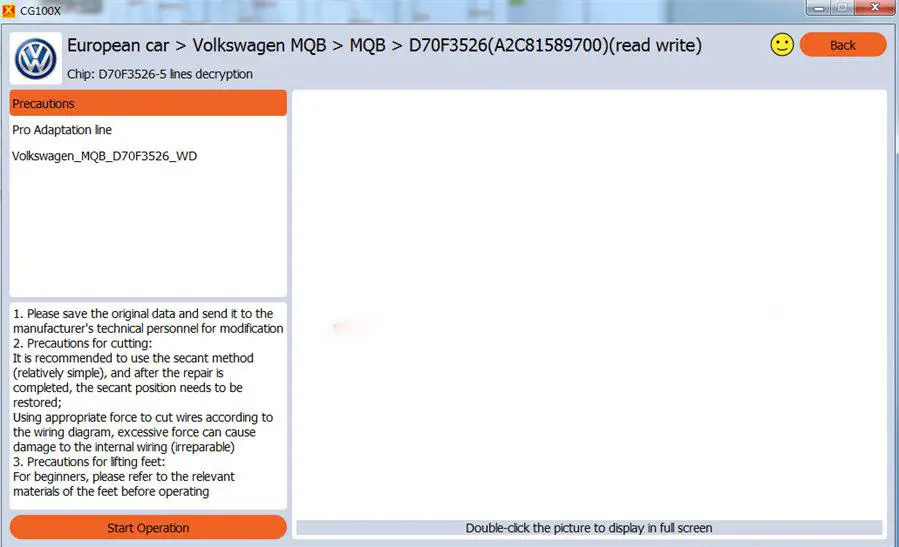
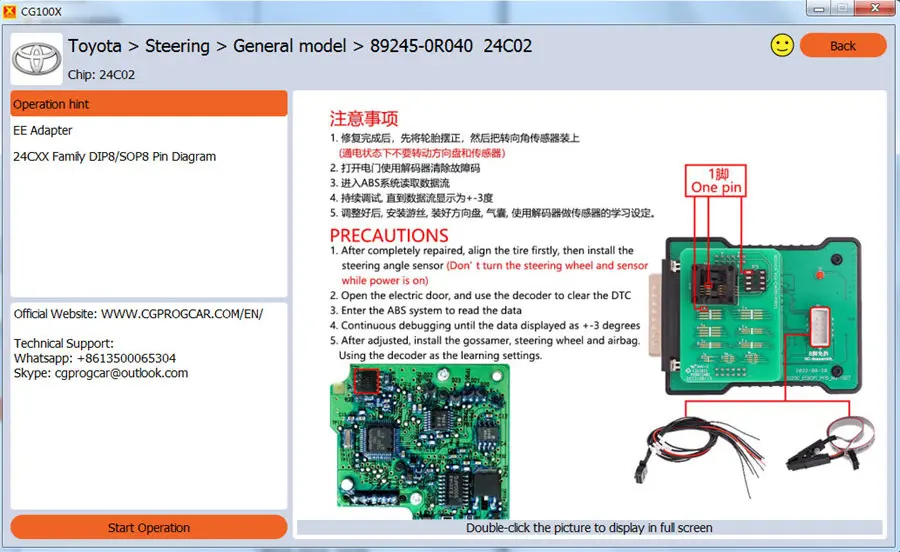
Enter "Dashboard” function, select the car series, brand, model, and year/chip, double-click the year/chip you selected or click“ Next", and you can see the related operation instructions (precautions, EEPROM adapter required, and wiring diagram). Then click " Start Operation" to do step by step.
2. Airbag Reset
It contains more than 4, 500 ECU models, dedicated to solving airbag failures, analyzing the cause of the light, perfectly clearing fault codes, and more models are continuously being added.
Operation:
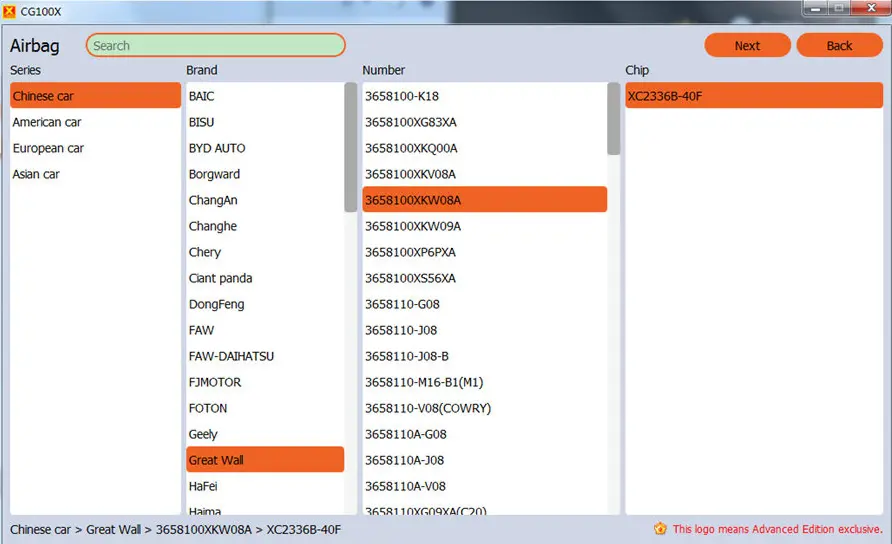
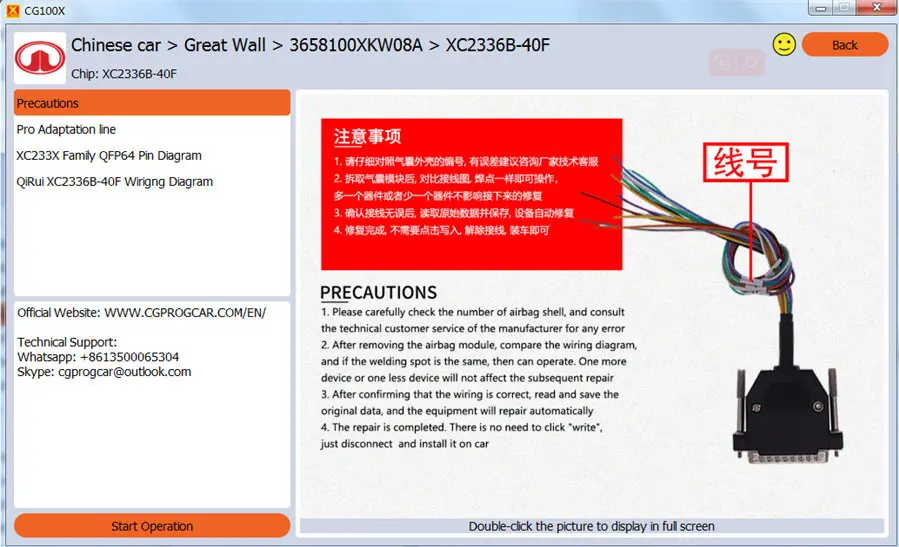
Run CGDI CG100X software. Enter “Airbag” function, select car series, brand, number, and chip, double-click the chip you selected or click“ Next", and you can see the related operation instructions (precautions, EEPROM adapter or cable required, and wiring diagram). Then click“ Start Operation” to do step by step.
3. Body Control Module Repair
It specializes in automotive electronic fault repair, is good at all kinds of common problems, supports auto repair commonly used engine computer, steering angle, foot space module, keyless entry module, audio amplifier, transmission computer, 48V light lithium battery, 12V lithium battery, and other kinds of body computer. A body computer provides vehicle data and assists repairmen in resolving vehicle failures.
ECU Repair Operation:
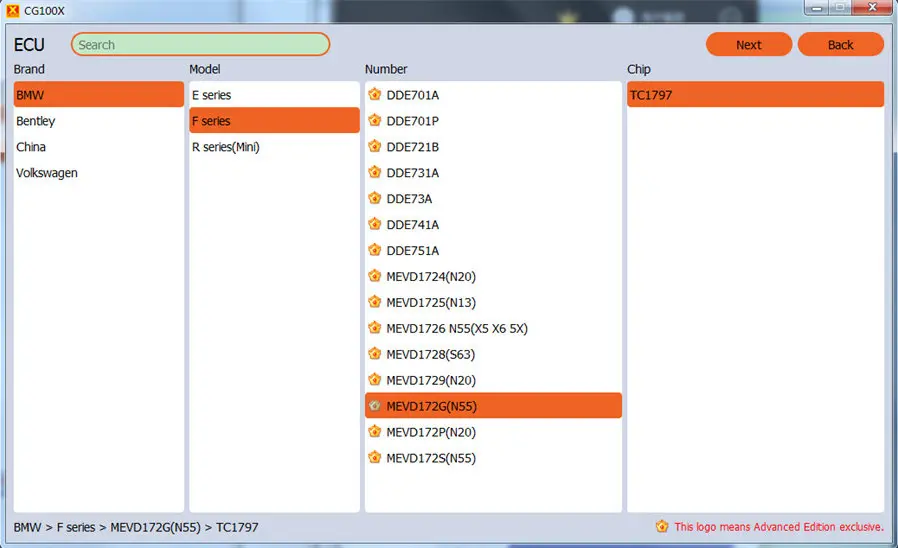
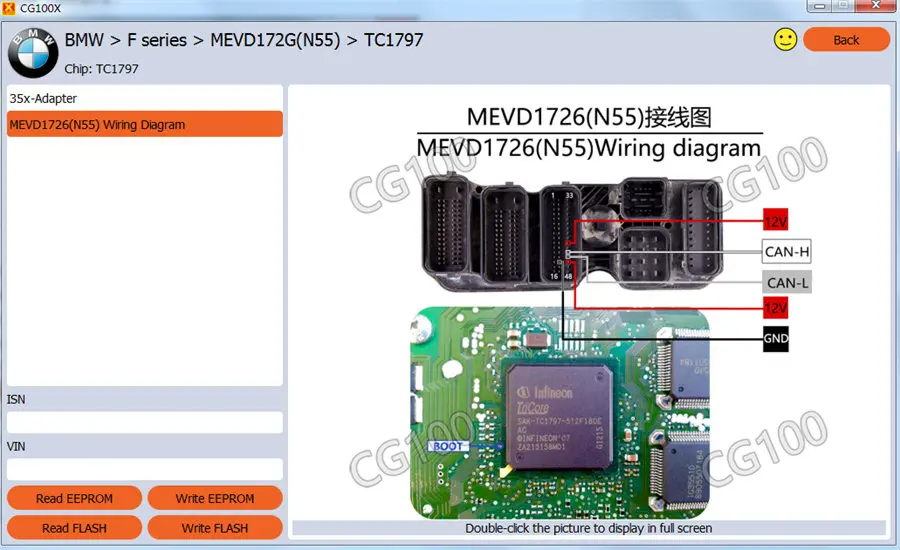
Enter“ ECU" function, select car brand, model, number, and chip, double-click the chip you selected or click “Next”, and you can see the 35X-CAN Adapter required and wiring diagram. Then perform read eeprom, write eeprom, read flash, and write flash.
BCM Operation:
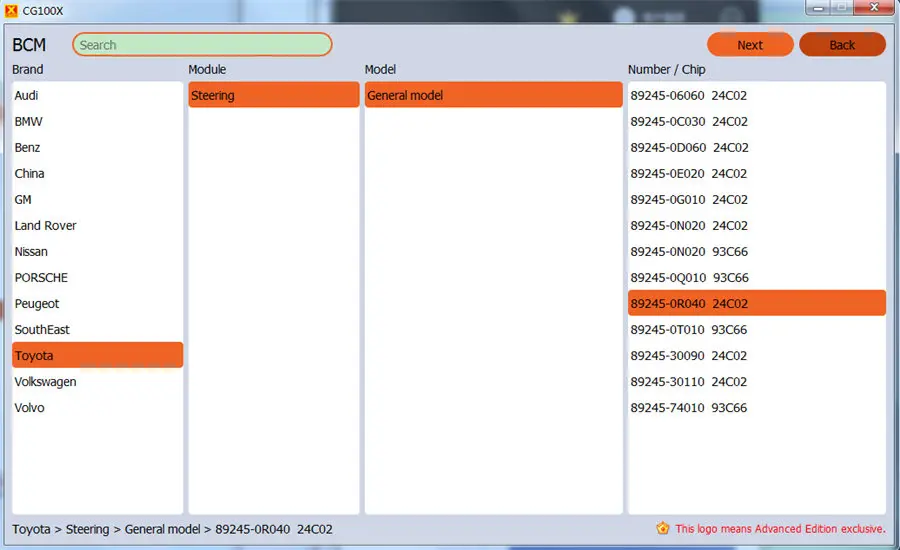
Enter “BCM” function, select car brand, module, model, and number/ chip, double-click the number/chip you selected or click “ Next”, and you can check the precautions, Pro adaptation line required, and wiring diagram. Then click “Start Operation” to do step by step.
4. Accessory Clone Replacement
Solve the pain points of the repair shop, a single device can replace accessories, data cloning, analysis, and repair, with a one-click operation without asking for help.
5. Various Chip Data Reading and Writing
It covers more than 90% of car chips, and supports more than 1800 models, read, modify, write, erase, partition, and save, and can also analyze data with the browser that comes with the software.
Operation:
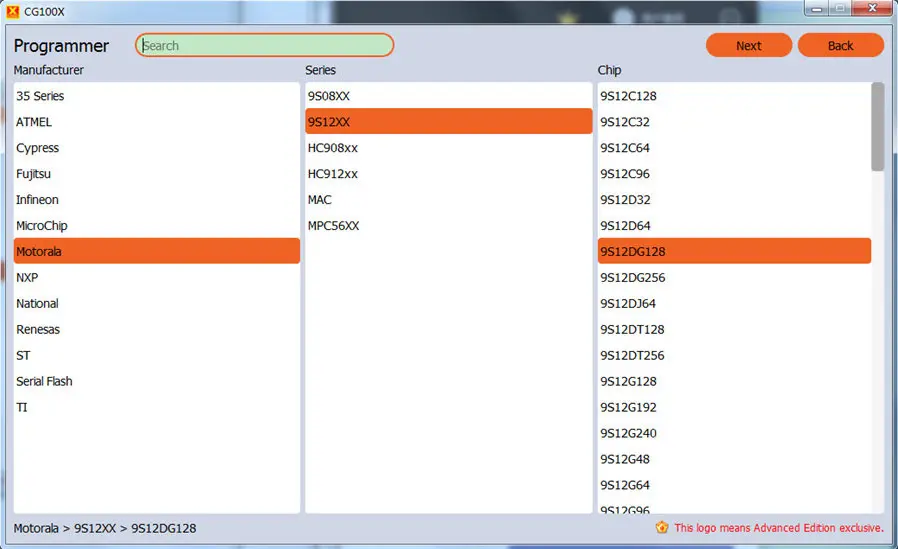
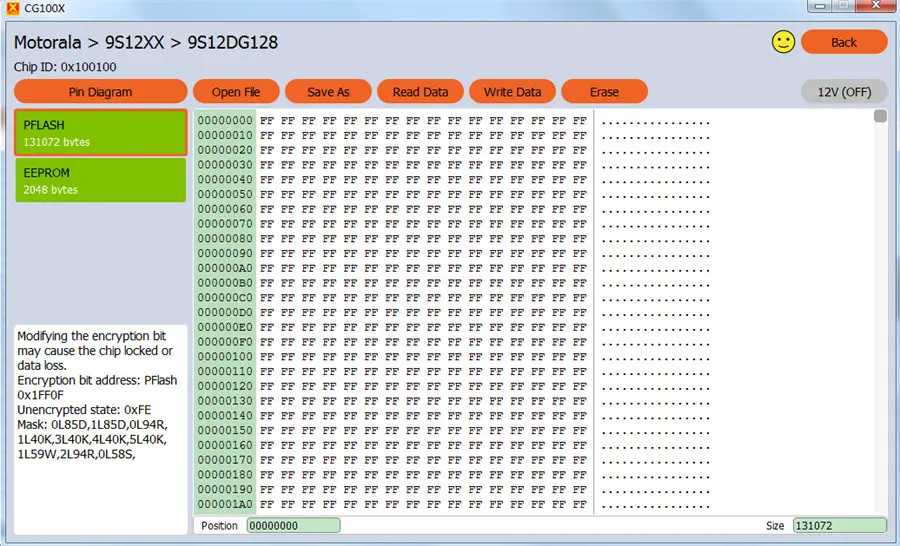
Enter “Programmer” function, select manufacturer, series, and chip, double-click the chip you selected or click “Next”, and then you can see the pin diagram, and perform the function you want, such as read data, write data, erase, etc.
Which EEPROM are supported by CGDI CG100X Programmer?
24 series, 25 series, 35 series, 93 series, 95 series, X50 series, S29 series, RH series, CAT10 series, CR series
Fujitsu
MB90 series, MB91 series, MB96 series
Microchip
PIC18F series
Texas Instruments (TI)
TMS series
NXP (NXP)
S32K1 series
Motorola / Freescale
9S08 series, 9S12 series, HC908 series, HC912 series, MAC series, MPC56 series
Atmel
ATMEGA series
Renesas
H8SX series, M32R series, R5F10D series, RH850 series, V850 series
Infineon
TC series, XC series
Saiyi Law (ST)
SPC series, ST10F series, STM32F series, STM8 series
Cypress / Spansion Semiconductor (Cypress / Spansion)
S6J series
6. Key Function
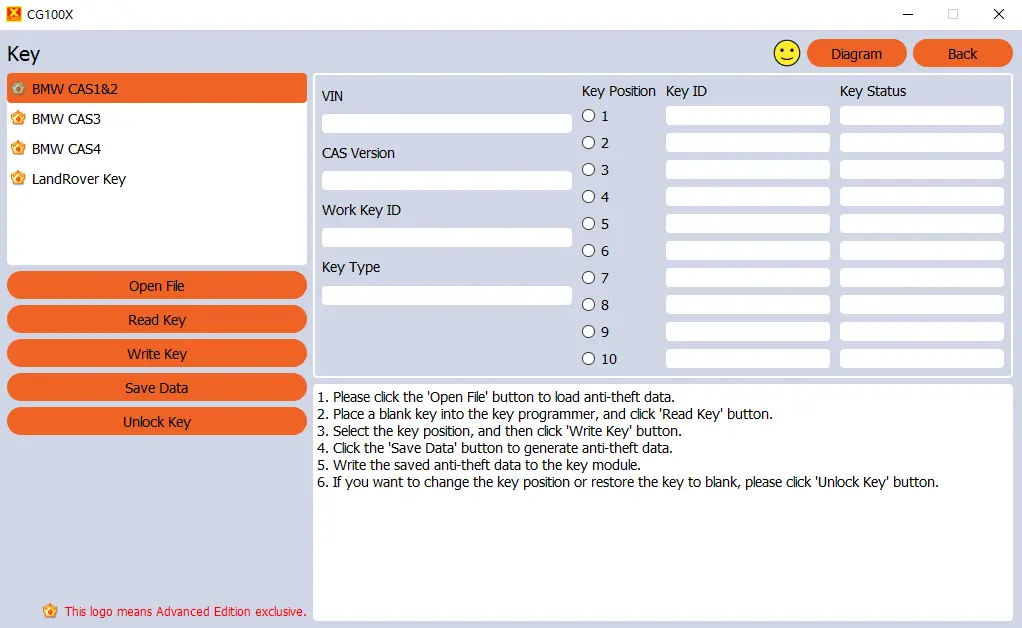
CG100X programmer supports car key matching for BMW CAS series and Land Rover models, automatically displays key ID and usage status, and assists locksmiths to complete key matching work.
Operation:
Enter “Key” function, select BMW CAS series or LandRover key, and follow the on-screen instruction to do.
How to Register and Activate CGDI CG100X?
Step 1: Download and install the newest CG100X software
CG100X Software Free Download
Follow the on-screen prompts to install software easily.
Step 2: Connect device
Connect CG100X to computer via the USB cable, and also connect with 12V 2A power supply
Open CG100X software, and you will receive the activation prompt “The device is not activated, cannot be used. Now activating the device will get 1 year free software upgrade and technical support service. Do you want to continue?” Click OK to continue.
Step 3: Register CG100X account
"Before activation, please log in to your account and bind your device.”
If you have an account already from CGDI MB & CGDI BMW & CG PRO 9S12 & CG100, click OK and log in directly.
If you do not have an account, go to register for an account. Click OK and choose "No account? Create one!"
1. Recommend you to type this information (user name, password, name, phone number, and email address) into a text file and save it, copy it, and paste it into CG100X software when create account.
2. Recommend you use a simple username and password, which is easy to remember in the future.
3. After filling in all the information, click the “Submit” button. And the account is created successfully.
4. Copy your user name and password and log in. The tool will be activated successfully.
5. If you cannot receive code by phone number or email address, please change the server connection area one by one and try again.
Step 4: Activate CGDI CG100X
After you create account successfully, then sign in with the available account.
After signing in successfully, click OK and click "Activate the Device Now” at the top of the page
Then you will get the message "Bind your device to your account, then activate. Please confirm to continue.”
Click OK
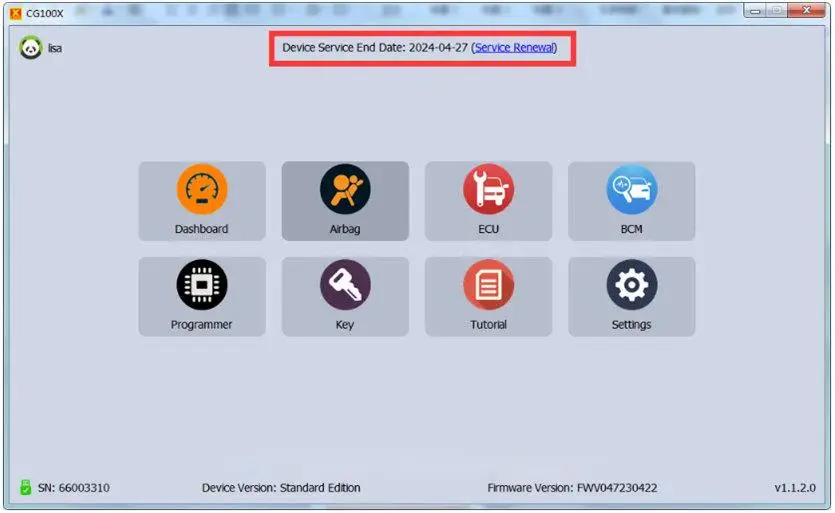
Now the activation is successful, and you can see the subscription time (device service end date).
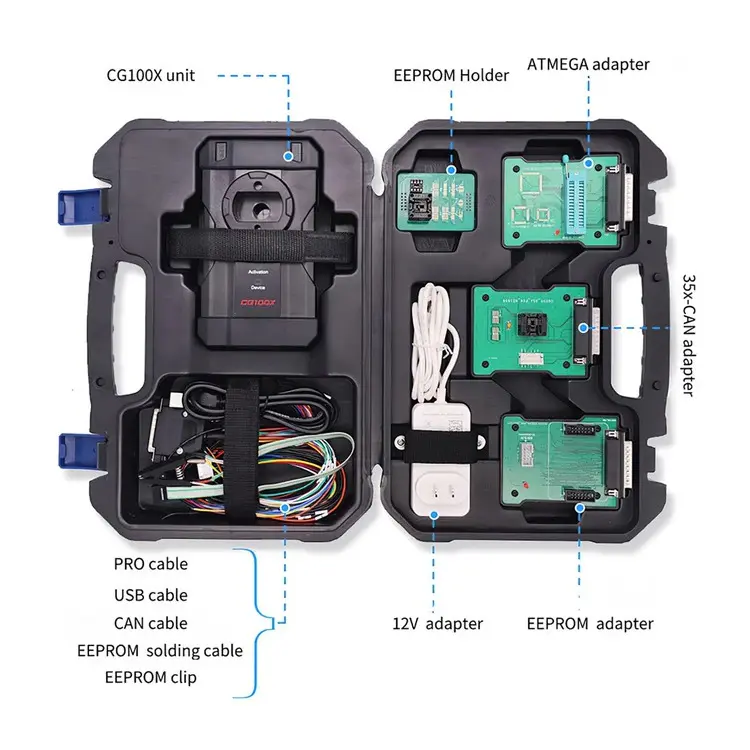
Package Includes:
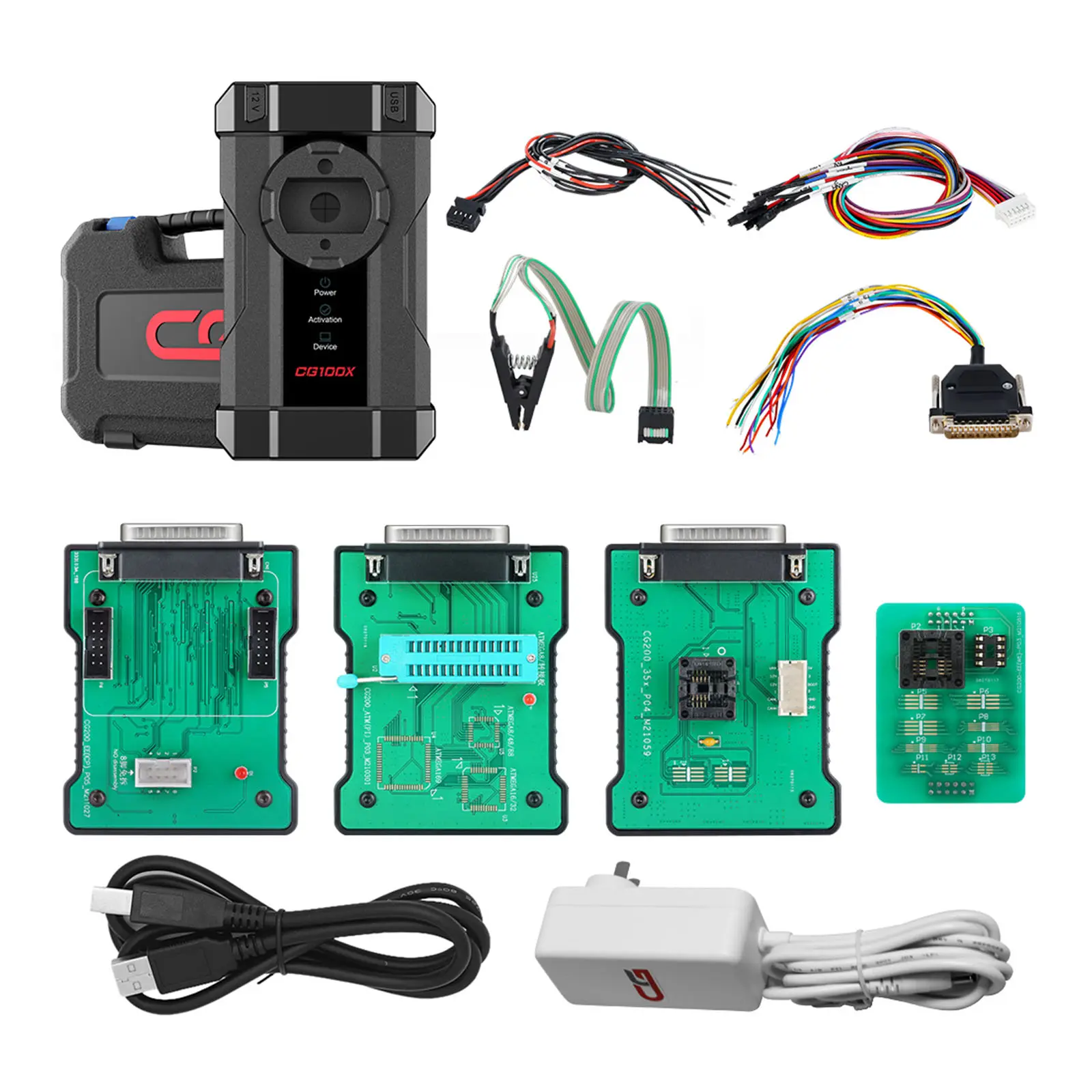
1pc x CG100X unit
1pc x EEPROM holder
1pc x EEPROM adapter
1pc x PRO cable
1pc x USB cable
1pc x CAN cable
1pc x EEPROM soldering cable
1pc x EEPROM clip
1pc x adapter
1pc x EEPROM adapter
Main
- CGDI
Product Specifications
- New